How to Record a Karaoke Performance
There are a variety of reasons why you may want to make a recording of a karaoke performance. To share with friends, to post on social sites, for audition purposes, or maybe for making a CD. Whatever the reason you can make good quality recording fairly easily. Many modern karaoke machines let you record your performance directly to an SD card or USB thumb drive. Below are some other methods.
Computer and Software
Usually the best option for home users. There are programs created specifically for this purpose. One of the more popular ones is
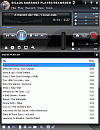
Siglos Karaoke Player/Recorder. It supports CD+G discs, BIN, MP3+G, Zipped MP3+G, MIDI, and other karaoke formats. It will even play song videos directly from YouTube. The audio processor will allow you to add reverb to your voice and the key change lets you set the key of the music to fit your voice.
You can use just about any microphone that will plug into your computer (USB or 1/8" plugin) although a better quality mic will make for better sound quality. Your recordings can be saved as mp3 files which of course can be used to create an audio CD. Once you learn the program and its settings you can make some good quality recordings.
From a Karaoke System Mixer
If you have a home or professional karaoke system you can record the final mix output from the mixer. This is the final (unpowered) output from the mixer that is sent to the amp. In short, this is exactly what would be coming out of the speakers.
The basic process is to connect a cable from the
non-powered "main mix out" of your mixer or powered mixer to the "
line in" of your computer's sound card. The cable you use will depend on the connection types. The line in on a sound card is typically a 1/8 inch stereo type. The output from the mixer may be either a 1/4 stereo jack or the dual RCA type.
You can use audio recording software. Have the program set up to record "line in" and set it to where you only need to click a button or tap a keyboard key to start recording. You will need to experiment with the record levels until you achieve the best quality recordings. If you save the recordings as mp3 (as opposed to wav) you will save considerable hard drive space.
Making live recordings can be a little difficult for one person. It's best to have one person handle the recording end while another person takes care of starting the music and handing off the microphone.
The wav files you create can be burnt to a disc in the same way you would burn tracks that were ripped from an audio CD. Mp3 files will require software designed to convert them to wav first and then burn them.
Article by Richard Wise.